Download Kika Emoji Keyboard Pro Original


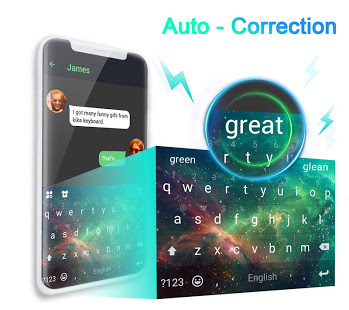
Kika Emoji Keyboard Pro


Program available in English Program license Free - System Android


Category : General
Program  : Free
Version  : 3.4.208
Size     : 17 MB
Works under : Android
Package name : com.emoji.coolkeyboard
Votes : 2 Votes / Ratting : 4
Program by : Emoji Keyboard & Sticker Design Team Kika Tech Inc. P.O. Box 24336 San Jose, CA 95154
Content rating - Everyone 10+

Watch Kika Emoji Keyboard Pro Video Review 

Review - Kika Emoji Keyboard Pro 

Kika Emoji Keyboard Pro is an Android browser that is a limited version of the regular UC Browser. It has many of the same features that made the UC Browser popular. It is a great alternative browser if you want something simpler than the traditional browsers for Android.  Kika Emoji Keyboard Pro has many great features. One feature is that it is a very fast browser for downloading files or watching videos. Another feature is that video playback can be controlled by gestures. Also, Kika Emoji Keyboard Pro has an incognito mode to secure your privacy. The browser additionally has a Night Mode which makes it easier to read text when it is dark.  The browser is very well designed. The user-interface is very stylish and clean, letting you focus on what you are doing. The tab management is simpler and easier to use than it is for most Android browsers. A quick-search feature allows you to search right from the navigation bar. In addition, navigation cards allow you to get updates about news and events based on your location.  Pros:  Fast download speeds Intuitive user-interface Small and fast browser Many useful features  Cons:  Not as many features as in standard browsers Night Mode may not work well depending on system brightness settings Built-in download manager doesn’t always work as expected

Screenshots Kika Emoji Keyboard Pro 



What Is New 

Thanks for using Kika Emoji Keyboard! We update Kika Emoji Keyboard regularly to bring you better performance and experience.



Free APK 4 Pics 1 Word Original


4 Pics 1 Word


Program available in English Program license Free - System Android


Category : Casual
Program  : Free
Version  : 29.2-4309-en
Size     : 59 MB
Works under : Android
Package name : de.lotum.whatsinthefoto.us
Votes : 56 Votes / Ratting : 4.4
Program by : LOTUM GmbH Am Goldstein 1, 61231 Bad Nauheim, Germany
Content rating - Everyone

Watch 4 Pics 1 Word Video Review 

Review - 4 Pics 1 Word 

4 Pics 1 Word is an Android browser that is a limited version of the regular UC Browser. It has many of the same features that made the UC Browser popular. It is a great alternative browser if you want something simpler than the traditional browsers for Android.  4 Pics 1 Word has many great features. One feature is that it is a very fast browser for downloading files or watching videos. Another feature is that video playback can be controlled by gestures. Also, 4 Pics 1 Word has an incognito mode to secure your privacy. The browser additionally has a Night Mode which makes it easier to read text when it is dark.  The browser is very well designed. The user-interface is very stylish and clean, letting you focus on what you are doing. The tab management is simpler and easier to use than it is for most Android browsers. A quick-search feature allows you to search right from the navigation bar. In addition, navigation cards allow you to get updates about news and events based on your location.  Pros:  Fast download speeds Intuitive user-interface Small and fast browser Many useful features  Cons:  Not as many features as in standard browsers Night Mode may not work well depending on system brightness settings Built-in download manager doesn’t always work as expected

Screenshots 4 Pics 1 Word 


What Is New 

Thank you so much for your support in making 4 Pics 1 Word a success! Your feedback and reviews help us to make the game even better and bring you great new games too! What's new? - Bug fixes and performance improvements We hope you enjoy the new update and look forward to hearing your feedback!


free mod EA Sports: UFC full version


EA Sports: UFC


Program available in English Program license Free - System Android


Category : Sports
Program  : Free
Version  : row_1.9.911319
Size     : 38 MB
Works under : Android
Package name : com.ea.game.easportsufc_row
Votes : 86 Votes / Ratting : 4.5
Program by : ELECTRONIC ARTS Geneva, Switzerland
Content rating - Teen

Watch EA Sports: UFC Video Review 

Review - EA Sports: UFC 

EA Sports: UFC is an Android browser that is a limited version of the regular UC Browser. It has many of the same features that made the UC Browser popular. It is a great alternative browser if you want something simpler than the traditional browsers for Android.  EA Sports: UFC has many great features. One feature is that it is a very fast browser for downloading files or watching videos. Another feature is that video playback can be controlled by gestures. Also, EA Sports: UFC has an incognito mode to secure your privacy. The browser additionally has a Night Mode which makes it easier to read text when it is dark.  The browser is very well designed. The user-interface is very stylish and clean, letting you focus on what you are doing. The tab management is simpler and easier to use than it is for most Android browsers. A quick-search feature allows you to search right from the navigation bar. In addition, navigation cards allow you to get updates about news and events based on your location.  Pros:  Fast download speeds Intuitive user-interface Small and fast browser Many useful features  Cons:  Not as many features as in standard browsers Night Mode may not work well depending on system brightness settings Built-in download manager doesn’t always work as expected

Screenshots EA Sports: UFC 


What Is New 

(function($) { $(function() { // Find all YouTube videos var $allVideos = $("#tabs-4 .vcontainer iframe"), // The element that is fluid width $fluidEl = $("#tabs-4 .vcontainer"); // Figure out and save aspect ratio for each video $allVideos.each(function() { $(this) .data('aspectRatio', this.height / this.width) // and remove the hard coded width/height .removeAttr('height') .removeAttr('width'); }); // When the window is resized $(window).resize(function() { var newWidth = $fluidEl.width(); // Resize all videos according to their own aspect ratio $allVideos.each(function() { var $el = $(this); $el .width(newWidth) .height(newWidth * $el.data('aspectRatio')); }); // Kick off one resize to fix all videos on page load }).resize(); }); })(jQuery);


Free APK AndroVid Original


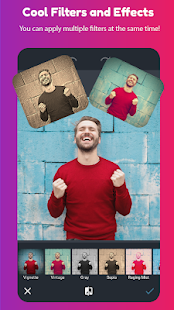
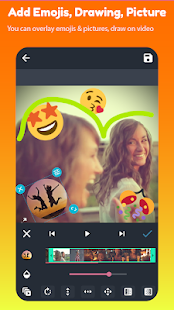
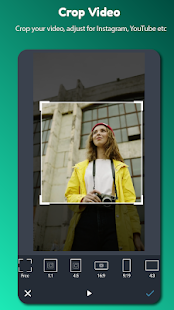
AndroVid


Program available in English Program license Free - System Android


Category : Video
Program  : Free
Version  : 3.3.7.4
Size     : 29 MB
Works under : Android
Package name : com.androvid
Votes : 52 Votes / Ratting : 4
Program by : Visover Ltd Universiteler Mah. Beytepe Lodumlu Koy Yolu Cad. No: 5/Z12 Cyberpark, ankaya, Ankara
Content rating - Everyone

Watch AndroVid Video Review 

Review - AndroVid 

AndroVid is an Android browser that is a limited version of the regular UC Browser. It has many of the same features that made the UC Browser popular. It is a great alternative browser if you want something simpler than the traditional browsers for Android.  AndroVid has many great features. One feature is that it is a very fast browser for downloading files or watching videos. Another feature is that video playback can be controlled by gestures. Also, AndroVid has an incognito mode to secure your privacy. The browser additionally has a Night Mode which makes it easier to read text when it is dark.  The browser is very well designed. The user-interface is very stylish and clean, letting you focus on what you are doing. The tab management is simpler and easier to use than it is for most Android browsers. A quick-search feature allows you to search right from the navigation bar. In addition, navigation cards allow you to get updates about news and events based on your location.  Pros:  Fast download speeds Intuitive user-interface Small and fast browser Many useful features  Cons:  Not as many features as in standard browsers Night Mode may not work well depending on system brightness settings Built-in download manager doesn’t always work as expected

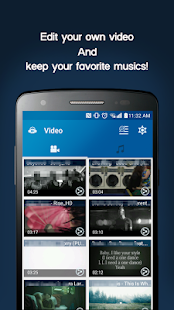
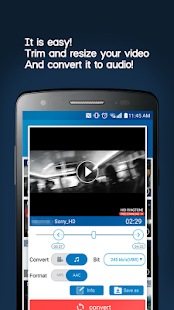
Screenshots AndroVid 


What Is New 

New Add Music user interface You can add multiple music files, trim, append them Bug fixes


official Bruce Lee: Enter The Game Original


Bruce Lee: Enter The Game


Program available in English Program license Free - System Android


Category : Arcade
Program  : Free
Version  : 1.5.0.6881
Size     : 68 MB
Works under : Android
Package name : com.hibernum.brucelee.enterthegame
Votes : 101 Votes / Ratting : 4
Program by : Hibernum 355 Ste Catherine West Montreal, Quebec H3B 1A5
Content rating - Teen

Watch Bruce Lee: Enter The Game Video Review 

Review - Bruce Lee: Enter The Game 

Bruce Lee: Enter The Game is an Android browser that is a limited version of the regular UC Browser. It has many of the same features that made the UC Browser popular. It is a great alternative browser if you want something simpler than the traditional browsers for Android.  Bruce Lee: Enter The Game has many great features. One feature is that it is a very fast browser for downloading files or watching videos. Another feature is that video playback can be controlled by gestures. Also, Bruce Lee: Enter The Game has an incognito mode to secure your privacy. The browser additionally has a Night Mode which makes it easier to read text when it is dark.  The browser is very well designed. The user-interface is very stylish and clean, letting you focus on what you are doing. The tab management is simpler and easier to use than it is for most Android browsers. A quick-search feature allows you to search right from the navigation bar. In addition, navigation cards allow you to get updates about news and events based on your location.  Pros:  Fast download speeds Intuitive user-interface Small and fast browser Many useful features  Cons:  Not as many features as in standard browsers Night Mode may not work well depending on system brightness settings Built-in download manager doesn’t always work as expected

Screenshots Bruce Lee: Enter The Game 


What Is New 

(function($) { $(function() { // Find all YouTube videos var $allVideos = $("#tabs-4 .vcontainer iframe"), // The element that is fluid width $fluidEl = $("#tabs-4 .vcontainer"); // Figure out and save aspect ratio for each video $allVideos.each(function() { $(this) .data('aspectRatio', this.height / this.width) // and remove the hard coded width/height .removeAttr('height') .removeAttr('width'); }); // When the window is resized $(window).resize(function() { var newWidth = $fluidEl.width(); // Resize all videos according to their own aspect ratio $allVideos.each(function() { var $el = $(this); $el .width(newWidth) .height(newWidth * $el.data('aspectRatio')); }); // Kick off one resize to fix all videos on page load }).resize(); }); })(jQuery);


official Terra Battle Original


Terra Battle


Program available in English Program license Free - System Android


Category : RPG
Program  : Free
Version  : 5.5.6
Size     : 82 MB
Works under : Android
Package name : com.mistwalkercorp.guardians
Votes : 108 Votes / Ratting : 4.5
Program by : MISTWALKER CORPORATION 711 Kapiolani Blvd Ste 1480, Honolulu, HI 96813 USA C/O Gilford Sato and Associates CPAs
Content rating - Everyone 10+

Watch Terra Battle Video Review 

Review - Terra Battle 

Terra Battle is an Android browser that is a limited version of the regular UC Browser. It has many of the same features that made the UC Browser popular. It is a great alternative browser if you want something simpler than the traditional browsers for Android.  Terra Battle has many great features. One feature is that it is a very fast browser for downloading files or watching videos. Another feature is that video playback can be controlled by gestures. Also, Terra Battle has an incognito mode to secure your privacy. The browser additionally has a Night Mode which makes it easier to read text when it is dark.  The browser is very well designed. The user-interface is very stylish and clean, letting you focus on what you are doing. The tab management is simpler and easier to use than it is for most Android browsers. A quick-search feature allows you to search right from the navigation bar. In addition, navigation cards allow you to get updates about news and events based on your location.  Pros:  Fast download speeds Intuitive user-interface Small and fast browser Many useful features  Cons:  Not as many features as in standard browsers Night Mode may not work well depending on system brightness settings Built-in download manager doesn’t always work as expected

Screenshots Terra Battle 


What Is New 

(function($) { $(function() { // Find all YouTube videos var $allVideos = $("#tabs-4 .vcontainer iframe"), // The element that is fluid width $fluidEl = $("#tabs-4 .vcontainer"); // Figure out and save aspect ratio for each video $allVideos.each(function() { $(this) .data('aspectRatio', this.height / this.width) // and remove the hard coded width/height .removeAttr('height') .removeAttr('width'); }); // When the window is resized $(window).resize(function() { var newWidth = $fluidEl.width(); // Resize all videos according to their own aspect ratio $allVideos.each(function() { var $el = $(this); $el .width(newWidth) .height(newWidth * $el.data('aspectRatio')); }); // Kick off one resize to fix all videos on page load }).resize(); }); })(jQuery);


official Photos free unlock


Photos


Program available in English Program license Free - System Android


Category : Photography
Program  : Free
Version  : 2.6.0.141921143
Size     : 44 MB
Works under : Android
Package name : com.google.android.apps.photos
Votes : 85 Votes / Ratting : 4.3
Program by : Google LLC 1600 Amphitheatre Parkway, Mountain View 94043
Content rating - Everyone

Watch Photos Video Review 

Review - Photos 

Photos is an Android browser that is a limited version of the regular UC Browser. It has many of the same features that made the UC Browser popular. It is a great alternative browser if you want something simpler than the traditional browsers for Android.  Photos has many great features. One feature is that it is a very fast browser for downloading files or watching videos. Another feature is that video playback can be controlled by gestures. Also, Photos has an incognito mode to secure your privacy. The browser additionally has a Night Mode which makes it easier to read text when it is dark.  The browser is very well designed. The user-interface is very stylish and clean, letting you focus on what you are doing. The tab management is simpler and easier to use than it is for most Android browsers. A quick-search feature allows you to search right from the navigation bar. In addition, navigation cards allow you to get updates about news and events based on your location.  Pros:  Fast download speeds Intuitive user-interface Small and fast browser Many useful features  Cons:  Not as many features as in standard browsers Night Mode may not work well depending on system brightness settings Built-in download manager doesn’t always work as expected

Screenshots Photos 


What Is New 

We made improvements to our suggested actions so you can get things done faster.


free mod ColorNote Notepad full version


ColorNote Notepad


Program available in English Program license Free - System Android


Category : Writing & Notes
Program  : Free
Version  : 4.1.4
Size     : 3 MB
Works under : Android
Package name : com.socialnmobile.dictapps.notepad.color.note
Votes : 48 Votes / Ratting : 4.5
Program by : Notes
Content rating - Everyone

Watch ColorNote Notepad Video Review 

Review - ColorNote Notepad 

ColorNote Notepad is an Android browser that is a limited version of the regular UC Browser. It has many of the same features that made the UC Browser popular. It is a great alternative browser if you want something simpler than the traditional browsers for Android.  ColorNote Notepad has many great features. One feature is that it is a very fast browser for downloading files or watching videos. Another feature is that video playback can be controlled by gestures. Also, ColorNote Notepad has an incognito mode to secure your privacy. The browser additionally has a Night Mode which makes it easier to read text when it is dark.  The browser is very well designed. The user-interface is very stylish and clean, letting you focus on what you are doing. The tab management is simpler and easier to use than it is for most Android browsers. A quick-search feature allows you to search right from the navigation bar. In addition, navigation cards allow you to get updates about news and events based on your location.  Pros:  Fast download speeds Intuitive user-interface Small and fast browser Many useful features  Cons:  Not as many features as in standard browsers Night Mode may not work well depending on system brightness settings Built-in download manager doesn’t always work as expected

Screenshots ColorNote Notepad 


What Is New 

(function($) { $(function() { // Find all YouTube videos var $allVideos = $("#tabs-4 .vcontainer iframe"), // The element that is fluid width $fluidEl = $("#tabs-4 .vcontainer"); // Figure out and save aspect ratio for each video $allVideos.each(function() { $(this) .data('aspectRatio', this.height / this.width) // and remove the hard coded width/height .removeAttr('height') .removeAttr('width'); }); // When the window is resized $(window).resize(function() { var newWidth = $fluidEl.width(); // Resize all videos according to their own aspect ratio $allVideos.each(function() { var $el = $(this); $el .width(newWidth) .height(newWidth * $el.data('aspectRatio')); }); // Kick off one resize to fix all videos on page load }).resize(); }); })(jQuery);


Mod APK Zynga Poker full version


Zynga Poker


Program available in English Program license Free - System Android


Category : Card Games
Program  : Free
Version  : 21.86
Size     : 82 MB
Works under : Android
Package name : com.zynga.livepoker
Votes : 62 Votes / Ratting : 4.5
Program by : Zynga 699 8th Street, San Francisco. CA
Content rating - Teen

Watch Zynga Poker Video Review 

Review - Zynga Poker 

Zynga Poker is an Android browser that is a limited version of the regular UC Browser. It has many of the same features that made the UC Browser popular. It is a great alternative browser if you want something simpler than the traditional browsers for Android.  Zynga Poker has many great features. One feature is that it is a very fast browser for downloading files or watching videos. Another feature is that video playback can be controlled by gestures. Also, Zynga Poker has an incognito mode to secure your privacy. The browser additionally has a Night Mode which makes it easier to read text when it is dark.  The browser is very well designed. The user-interface is very stylish and clean, letting you focus on what you are doing. The tab management is simpler and easier to use than it is for most Android browsers. A quick-search feature allows you to search right from the navigation bar. In addition, navigation cards allow you to get updates about news and events based on your location.  Pros:  Fast download speeds Intuitive user-interface Small and fast browser Many useful features  Cons:  Not as many features as in standard browsers Night Mode may not work well depending on system brightness settings Built-in download manager doesn’t always work as expected

Screenshots Zynga Poker 


What Is New 

BOOSTS - Earn extra chips, tickets, and more!


Mod APK Agar.io full version


Agar.io


Program available in English Program license Free - System Android


Category : Arcade
Program  : Free
Version  : 2.8.2
Size     : 39 MB
Works under : Android
Package name : com.miniclip.agar.io
Votes : 109 Votes / Ratting : 4
Program by : Miniclip.com Miniclip SA Case Postale 2671 2001 Neuchtel Switzerland
Content rating - Everyone

Watch Agar.io Video Review 

Review - Agar.io 

Agar.io is an Android browser that is a limited version of the regular UC Browser. It has many of the same features that made the UC Browser popular. It is a great alternative browser if you want something simpler than the traditional browsers for Android.  Agar.io has many great features. One feature is that it is a very fast browser for downloading files or watching videos. Another feature is that video playback can be controlled by gestures. Also, Agar.io has an incognito mode to secure your privacy. The browser additionally has a Night Mode which makes it easier to read text when it is dark.  The browser is very well designed. The user-interface is very stylish and clean, letting you focus on what you are doing. The tab management is simpler and easier to use than it is for most Android browsers. A quick-search feature allows you to search right from the navigation bar. In addition, navigation cards allow you to get updates about news and events based on your location.  Pros:  Fast download speeds Intuitive user-interface Small and fast browser Many useful features  Cons:  Not as many features as in standard browsers Night Mode may not work well depending on system brightness settings Built-in download manager doesn’t always work as expected

Screenshots Agar.io 


What Is New 

* Introducing Agar.io Chinese New Year Season, arriving 21 January 2020 - Collect rat tokens in any arena and in potions to unlock rewards galore - Buy the Golden Pass to take Chinese New Year Season to the next level for super exclusive rewards and skins * Arena performance improvements and bug fixing


Download Flashlight Original


Flashlight


Program available in English Program license Free - System Android


Category : General
Program  : Free
Version  : 1.4.0
Size     : 8 MB
Works under : Android
Package name : com.surpax.ledflashlight.panel
Votes : 90 Votes / Ratting : 4.5
Program by : ONE App Essentials. Flat/Rm 603, 6/F Laws Commercial Plaza 788, Cheung Sha Wan Road, KL
Content rating - Everyone

Watch Flashlight Video Review 

Review - Flashlight 

Flashlight is an Android browser that is a limited version of the regular UC Browser. It has many of the same features that made the UC Browser popular. It is a great alternative browser if you want something simpler than the traditional browsers for Android.  Flashlight has many great features. One feature is that it is a very fast browser for downloading files or watching videos. Another feature is that video playback can be controlled by gestures. Also, Flashlight has an incognito mode to secure your privacy. The browser additionally has a Night Mode which makes it easier to read text when it is dark.  The browser is very well designed. The user-interface is very stylish and clean, letting you focus on what you are doing. The tab management is simpler and easier to use than it is for most Android browsers. A quick-search feature allows you to search right from the navigation bar. In addition, navigation cards allow you to get updates about news and events based on your location.  Pros:  Fast download speeds Intuitive user-interface Small and fast browser Many useful features  Cons:  Not as many features as in standard browsers Night Mode may not work well depending on system brightness settings Built-in download manager doesn’t always work as expected

Screenshots Flashlight 


What Is New 

#NAME?


official Download free music MP3 full version


Download free music MP3


Program available in English Program license Free - System Android


Category : Video and Audio Downloaders
Program  : Free
Version  : 2.1.11
Size     : 2 MB
Works under : Android
Package name : com.mp3downloaderandroid
Votes : / Ratting :
Program by : Music MP3 Download Free CopyLeft
Content rating - Low Maturity

Watch Download free music MP3 Video Review 

Review - Download free music MP3 

Download free music MP3 is an Android browser that is a limited version of the regular UC Browser. It has many of the same features that made the UC Browser popular. It is a great alternative browser if you want something simpler than the traditional browsers for Android.  Download free music MP3 has many great features. One feature is that it is a very fast browser for downloading files or watching videos. Another feature is that video playback can be controlled by gestures. Also, Download free music MP3 has an incognito mode to secure your privacy. The browser additionally has a Night Mode which makes it easier to read text when it is dark.  The browser is very well designed. The user-interface is very stylish and clean, letting you focus on what you are doing. The tab management is simpler and easier to use than it is for most Android browsers. A quick-search feature allows you to search right from the navigation bar. In addition, navigation cards allow you to get updates about news and events based on your location.  Pros:  Fast download speeds Intuitive user-interface Small and fast browser Many useful features  Cons:  Not as many features as in standard browsers Night Mode may not work well depending on system brightness settings Built-in download manager doesn’t always work as expected

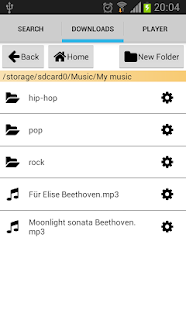
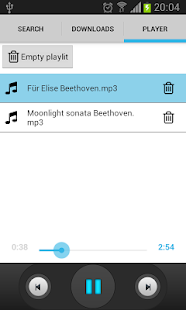
Screenshots Download free music MP3 


What Is New 

What's New - Now you can choose the download folder on the SD card - Fixed bug with T-Mobile users. - More music - In settings you can choose the download folder - Shows spell corrections - Added shuffle button on the playlist - Minor bug fixeds Read more


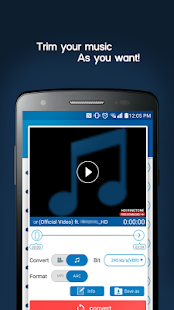
official MP3 Video Converter Fundevs full version


MP3 Video Converter Fundevs


Program available in English Program license Free - System Android


Category : Audio
Program  : Free
Version  : 2.5.4
Size     : 15 MB
Works under : Android
Package name : com.fundevs.app.mediaconverter
Votes : 113 Votes / Ratting : 4.4
Program by : FunDevs LLC 3810 Dalwood Dr, Suwanee, GA 30024
Content rating - Everyone

Watch MP3 Video Converter Fundevs Video Review 

Review - MP3 Video Converter Fundevs 

MP3 Video Converter Fundevs is an Android browser that is a limited version of the regular UC Browser. It has many of the same features that made the UC Browser popular. It is a great alternative browser if you want something simpler than the traditional browsers for Android.  MP3 Video Converter Fundevs has many great features. One feature is that it is a very fast browser for downloading files or watching videos. Another feature is that video playback can be controlled by gestures. Also, MP3 Video Converter Fundevs has an incognito mode to secure your privacy. The browser additionally has a Night Mode which makes it easier to read text when it is dark.  The browser is very well designed. The user-interface is very stylish and clean, letting you focus on what you are doing. The tab management is simpler and easier to use than it is for most Android browsers. A quick-search feature allows you to search right from the navigation bar. In addition, navigation cards allow you to get updates about news and events based on your location.  Pros:  Fast download speeds Intuitive user-interface Small and fast browser Many useful features  Cons:  Not as many features as in standard browsers Night Mode may not work well depending on system brightness settings Built-in download manager doesn’t always work as expected

Screenshots MP3 Video Converter Fundevs 


What Is New 

Fix converting freeze issue when the app is killed